How To Use The UND Parking Ramp
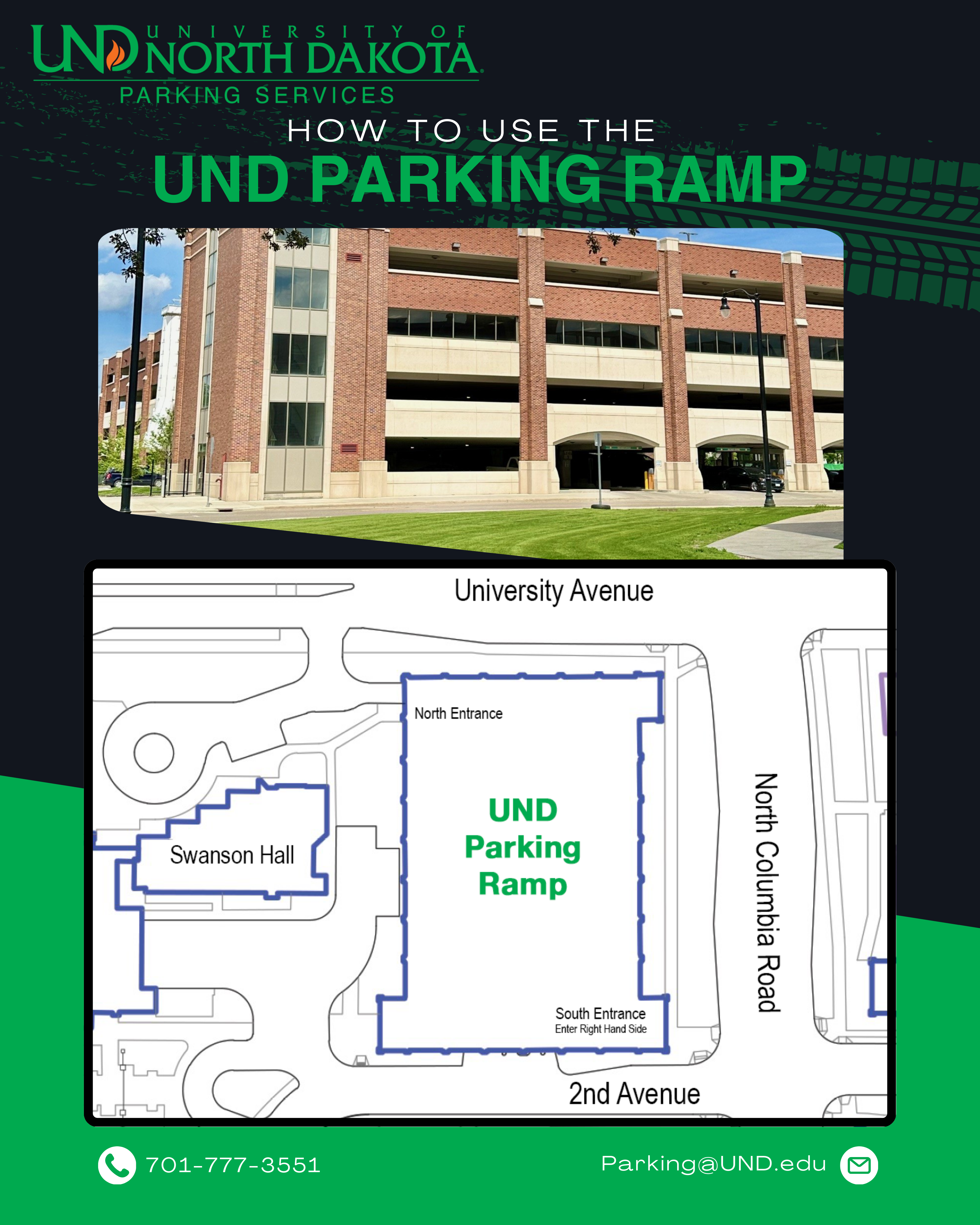
The UND Parking Ramp is a convenient parking option for both hourly visitors and permit holders, offering easy access to campus locations. Whether you’re visiting for a short time or parking regularly, here’s everything you need to know to make the most of the facility.
Parking Options in the Ramp
Hourly Parking – Available for:
-
Non-permit holders
-
Those without a Ramp Permit
Permit Parking
-
Reserved for Ramp Permit Holders in designated areas: East Side of Level 1 & Levels 2-5 (+ Inclines).
-
Enter via 2nd Avenue (South Side) with a Ramp Permit or use Hourly Pay Options.
Special Reserved Parking
-
Assigned parking spaces for Special Reserved Permit Holders. Look for signs that are posted.
-
Unauthorized use will result in a citation.
West Side of Level 1
-
Only for Special Reserved Spaces and Hourly Pay Parking.
-
Regular UND Ramp Permits are NOT valid on this side.
Entrances & Exits
Entrances
Primary Entrance (South Side – 2nd Avenue)
- For Ramp Permit Holders, Hourly Pay Parking, and Other UND Permit Holders (paying hourly rate).
- Enter using the far-right lane of the entrance.
- Park on East Side of Level 1 & Levels 2-5 (+ Inclines).
- Avoid Special Reserved or ADA Spaces unless permitted.
Secondary Entrance (North Side – University Avenue)
- Accesses only the West Side (Special Reserved & Hourly Pay Parking).
- One-way traffic: Enter from University Ave, exit onto 2nd Ave.
- Use designated payment methods (see below).
Exits
- Two exit points on 2nd Avenue.
Hourly Parking Payment Options
- Payment is required on the West Side of Level 1 of the ramp, even for Ramp Permit holders.
- Payment is required before exiting the ramp.
- East Side of Level 1 & Levels 2-5 (+ Inclines) are for:
- Ramp Permit Holders
- Non-Permit Holders paying the hourly rate
- Other UND Permit Holders paying the hourly rate
Ways to Pay: Look for signage throughout the Ramp
- Passport App – Use Zone 28019.
- Kiosks – Located on Level 1 & Level 4 (Southwest Tower near the elevator).
- MobilePay – Text “HAWKS” to 25023.
Important:
- Enter your state-issued license plate exactly as shown.
- If there is no plate, use the last 8 digits of your VIN.
- Complete payment before leaving your vehicle if possible or the ramp if you need to use the Kiosks to avoid citations.
General Guidelines for a Smooth Experience
✅ Follow all posted signage and parking regulations.
✅ Link your payment/permit to your license plate and ensure it faces the drive lane.
✅ Drive safely (5 MPH speed limit inside the ramp).
✅ Enter/exit cautiously and use designated routes.
✅ For West Side parking, enter only from University Ave and exit onto 2nd Ave.
✅ Weekly/Daily permits purchased online or through the Parking Service Office are not valid in the UND Ramp.