Enable Text Message Notifications for Direct Deposit Updates in HCM
Text Message Notifications are now available in HCM when you make changes to your Direct Deposit Information. This feature adds an extra layer of security by notifying you of any updates made to your direct deposit account.
To start receiving these messages, you’ll need to consent to text notifications within HCM.
This is a one-time setup—you can update or revoke your consent at any time.
How to Enable Text Notifications in HCM
- Login to HCM.
- Approve your DUO/MFA (Multi-Factor Authentication) when prompted.
- Open My Preferences.
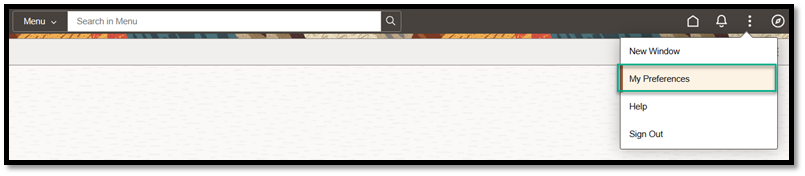
- From the HCM Homepage, select Menu > My Preferences.
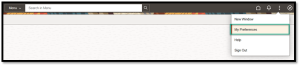
- From the HCM Homepage, select Menu > My Preferences.
- Access the Notifications Menu.
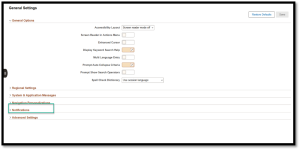
- Enter Your Mobile Number.
- Type the phone number you want text notifications sent to.
- Press Tab on your keyboard and then select Save.

- Provide Consent for Text Notifications.
-
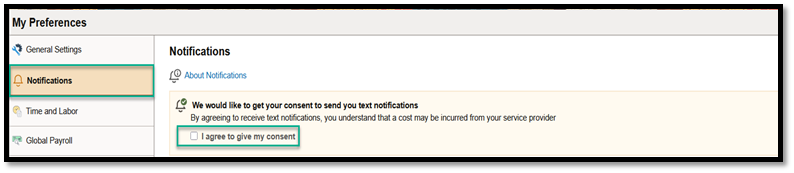
- On the Left Hand Menu, Select the Notifications section. Then select the checkbox labeled “I agree to give my consent.”
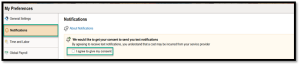
- On the Left Hand Menu, Select the Notifications section. Then select the checkbox labeled “I agree to give my consent.”
-
- Verify and Enable Notifications.
-
-
- Choose and confirm your email address and phone number.
- Slide the Text toggle to the right to enable text notifications.
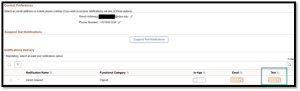
-
-
- Save Your Preferences.
-
- Select Save in the upper-right corner of the page.


What to Expect
Once enabled, you will receive a confirmation text when you add, remove, or update a direct deposit account in Employee Self Service (ESS).
Example Confirmation Message
“Your NDUS payroll direct deposit request on MM-DD-YYYY HH:MM:SS AM/PM has been successfully submitted. If you have not made this change, contact your campus HR/Payroll Department immediately. You can also look for an unauthorized change by logging into HCM ESS.”